Products management
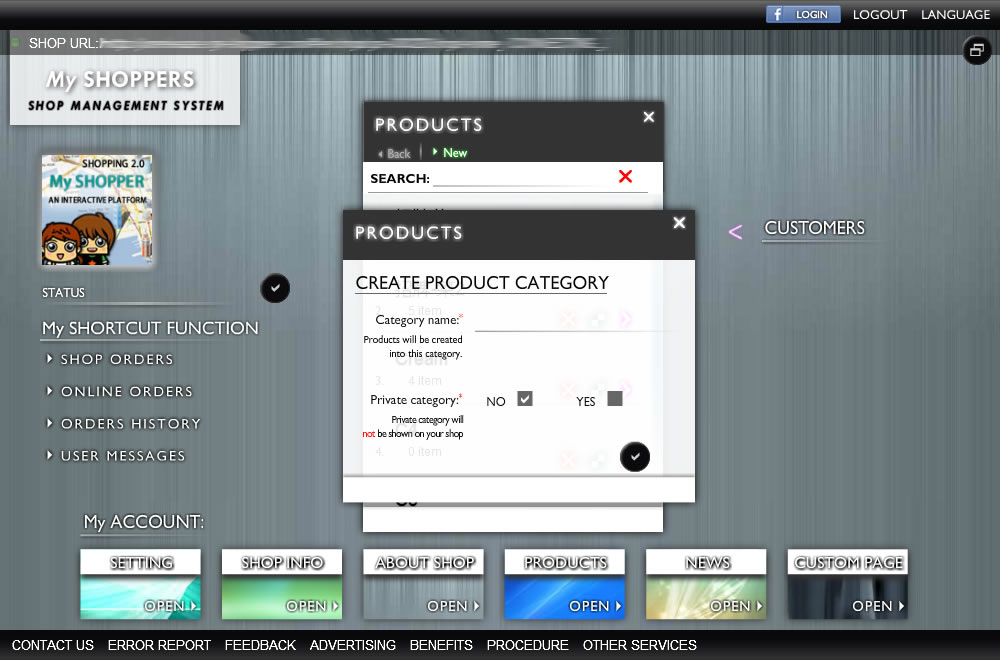
Create a product/service category

A product category helps you to manage your products/service in a handy way. you can either put a list of products on/off line by selecting check box, and easily removing a list of products by removing a product category.
HOW : SYSTEM -> My ACCOUNT -> PRODUCTS
- Creating a category by click "NEW" button
- Enter a category name, and choose whether this category is a private category. if it is a private category, the products which under this category will not be shown in your online shop
- Save it by clicking "tick" button
Create a product/service (Multi-language is supported)
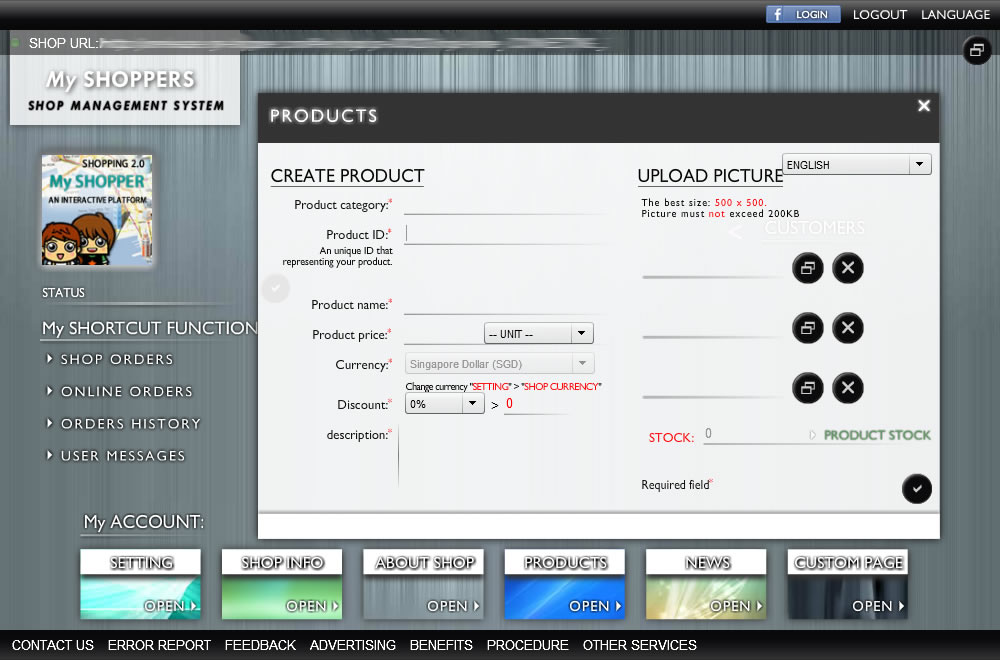
Creating a product for selling online or in your local shop
HOW : SYSTEM -> My ACCOUNT -> PRODUCTS
- After you have created a category, select it by clicking the category "ARROW" button, then click "NEW" button to create a product under this category
- Enter a product information, and upload images (if any)
- Save it by clicking "tick" button
Product stocking
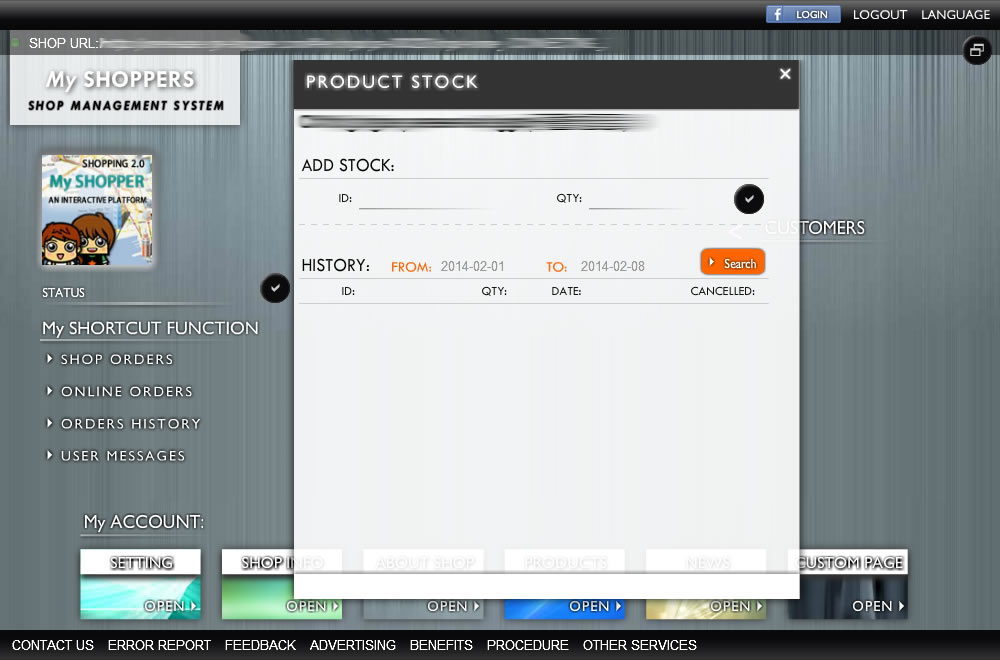
Product stocking help you keep tracking how many products available. and record each time purchasing.
HOW : SYSTEM -> My ACCOUNT -> PRODUCTS -> [CATEGORY] -> [PRODUCT]
- Changing product stocking, select a product by click "MODIFY" button, then in the product window click on "PRODUCT STOCK" button
- Enter an ID, and QTY for adding stocking
- Save it by clicking "tick" button
Clone/modify/delete a product/service
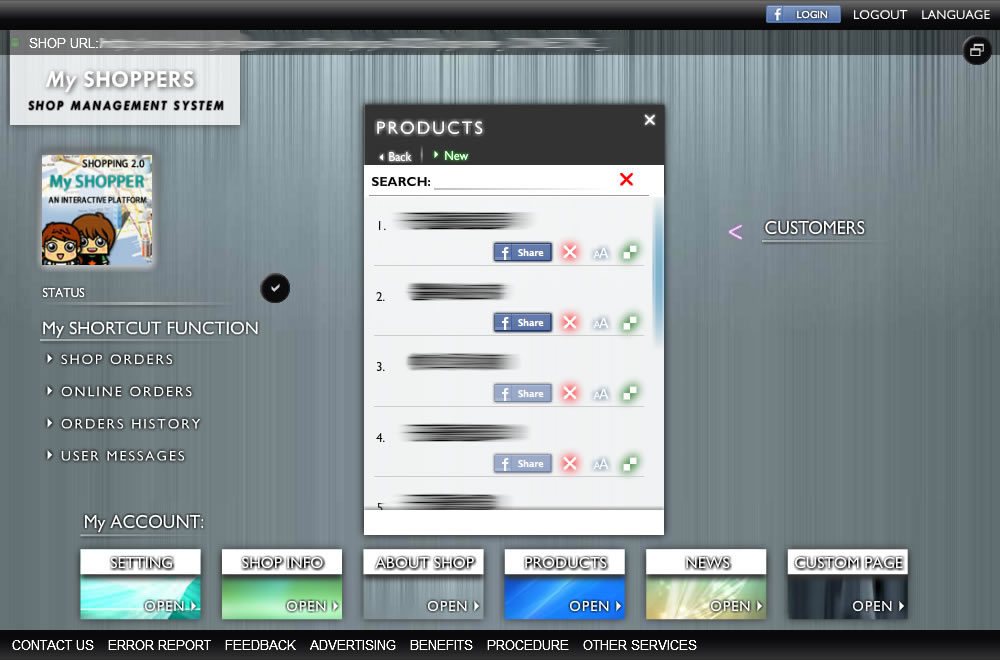
Anytime a product can be modified, deleted, or cloned
HOW : SYSTEM -> My ACCOUNT -> PRODUCTS -> [CATEGORY]
Share a product/service to Facebook
Share a product on Facebook to increase product views
HOW : SYSTEM -> My ACCOUNT -> PRODUCTS -> [CATEGORY]
- Before sharing a product on Facebook, you have to have a Facebook account, and logged-in in management system
Search a product/service
Quickly find a product by entering a product name or ID
HOW : SYSTEM -> My ACCOUNT -> PRODUCTS
- Enter a keyword (name, id) that related to your targeted product